SLM Vision Parser
Extract text nodes, bounding boxes, chart labels, and table grids locally on CPU using local CPU-optimized visual neural models.
🚀 Overview & Capabilities
The SLM Vision Parser uses local multimodal neural models to translate image structures directly. It is designed to run offline on CPU under 1.5 GB memory footprint, making it ideal for visual PDF OCR, diagram relationship mappings, and whiteboard extractions.
💻 Installation
Install the local CPU-optimized package using pip:
# Install from PyPI
pip install slm-vision-parser
🤖 Truly Agentic Workflow
The Vision Parser maps visual coordinate dimensions into clean layout logs:
- OCR Node Extraction: Translates raster text strings from diagrams.
- Region Mapping: Generates bounding box parameters mapping visual coordinates for web rendering.
- Semantic Image Captioning: Extracts visual flow structures (e.g., arrows, shapes, labels) into a raw description.
- Agentic LLM Refinement: Pipe raw visual description nodes directly into the local neural reasoning model. By guiding the text model with a template prompt, you can synthesize exact custom descriptions (e.g., describing step hierarchies and the exact count of connecting arrows).
⚡ CPU Performance Tuning Guidelines
Local vision models utilize visual transformers. To run model prediction tasks efficiently on CPU under 2.0 GB memory:
- Sequential execution: Process page scans sequentially rather than in batches to avoid CPU memory thrashing.
- Garbage Collection: Clear cache blocks after processing high-resolution images:
import gc
gc.collect()
🎯 Accuracy Improvement Tips
1024px and scaling contrast values using Pillow before parsing.
"<OCR>" or "<DETAILED_CAPTION>") to trigger correct task headers.
API Reference
`SLMVisionParser` Initialization
from slm_vision_parser.vision_parser import SLMVisionParser

parser = SLMVisionParser()| Parameter | Type | Description |
|---|---|---|
| model_path | str | Local directory containing vision model checkpoints. |
| system_prompt | str | None | Optional custom system prompt instructions overriding the default template. |
| user_input | str | None | Optional additional user-supplied target parameters or variables. |
`parse_image` Method
Run coordinate mappings or caption generation by supplying task tags. Below is the input flowchart diagram processed by the vision model:
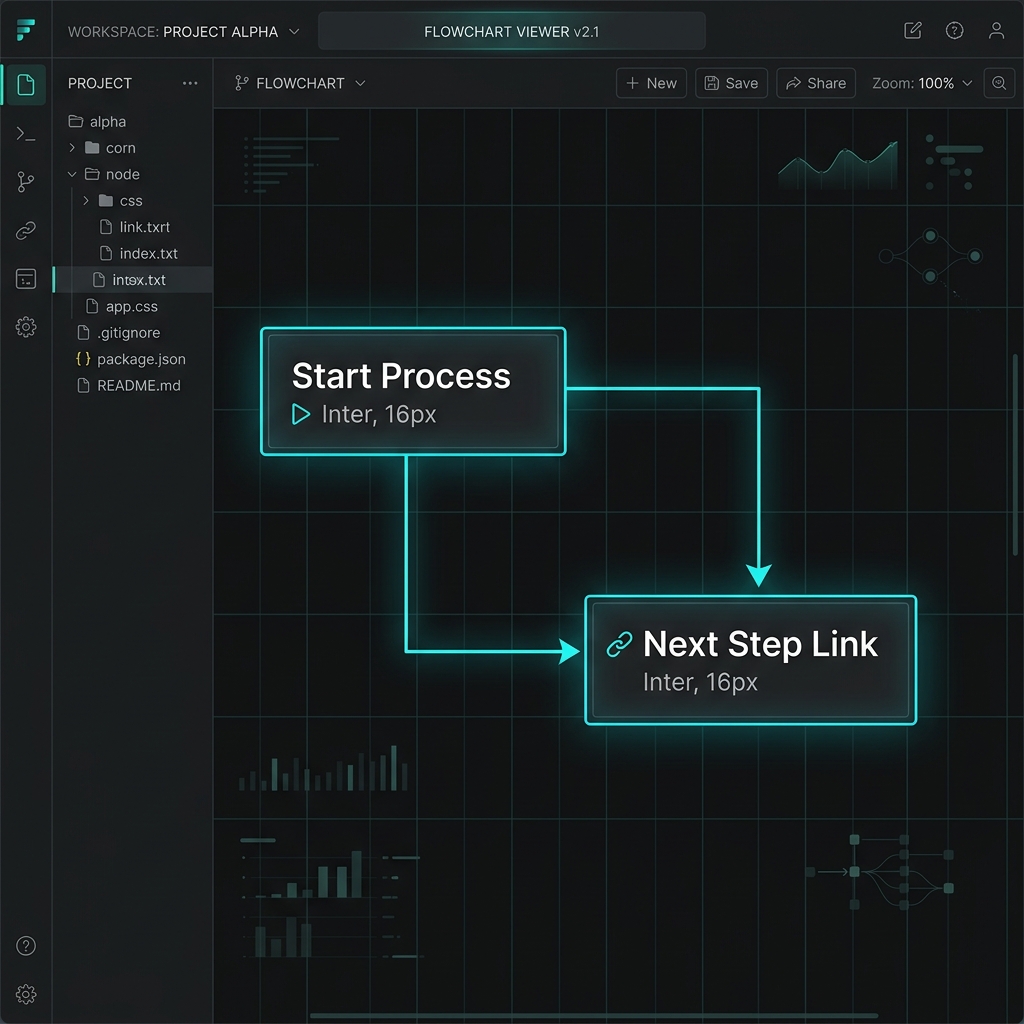
from slm_vision_parser.vision_parser import SLMVisionParser

parser = SLMVisionParser()

# Describe the flowchart diagram in text using the local vision LLM
result = parser.parse_image("flowchart.png", task="<DETAILED_CAPTION>")
print(result)"A flowchart showing a start step ('Start Process') and a next step ('Next Step Link') connected with two arrows from the start step to the next step."🐙 Checkout from GitHub
Clone only this agent's folder from the monorepo using Git sparse-checkout — no need to download the full repository:
Option 1 — Sparse Checkout (Recommended)
Option 2 — Full Repository Clone
💡 Tip: After checkout, install the package locally with pip install -e ./slm_vision_parser to run in editable mode without publishing to PyPI.